

Scripting Types, Tips & Tricks for Developers

SuiteScript is the backbone of NetSuite customization. With the transition from 1.0 to 2.x and 2.1, developers have access to features that make scripting more modular, secure, and scalable. While these enhancements are technical, they directly influence how smoothly teams can build, maintain, and grow NetSuite solutions.

This article outlines key scripting concepts, script types, governance workarounds, and tips, designed for developers getting started as well as those looking for practical tricks to improve their SuiteScript practice.

Table of Contents

Modularity in SuiteScript 2.x

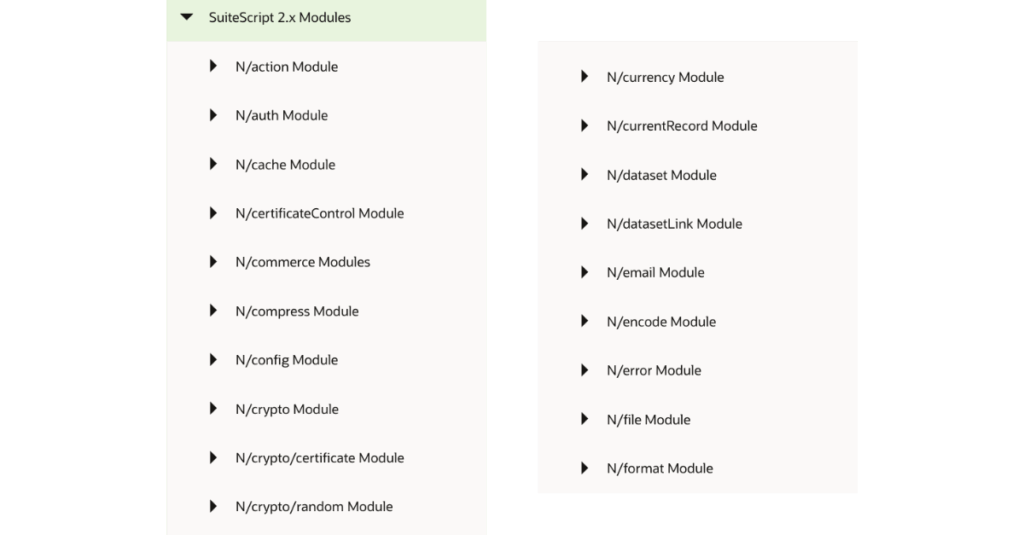
Previous versions of SuiteScript relied on a single global namespace, which often led to naming conflicts and limited code reusability. SuiteScript 2.x introduced a modular architecture where scripts import only the modules they require. This structure keeps projects organized and reduces maintenance complexity and naming collisions.
 
Modules can also be customized or extended to share common logic across multiple projects, encouraging cleaner architecture and consistent development practices.
This modular approach doesn’t just make coding cleaner; it also reduces long-term maintenance overhead and helps teams keep projects scalable as requirements grow more complex.

Compatibility and Modern JavaScript with SuiteScript 2.1

SuiteScript 2.1 embraces modern JavaScript syntax and standards, including arrow functions, let and const, the spread operator, and async/await. These features align SuiteScript with today’s JavaScript ecosystem, allowing developers to write cleaner and more efficient code.


This upgrade helps teams onboard new developers faster, reduce syntax errors, and maintain scripts that feel familiar to anyone experienced in modern JavaScript frameworks.

Enhancing Performance and Flexibility

SuiteScript 2.x introduced several APIs that empower developers to optimize for performance and scalability, such as:
  • Asynchronous processing using Promises
  • Object-oriented programming support
  • Third-party integrations
  • Cache API
  • Search Pagination API
  • Flat File Streaming API
 
These capabilities enable large-scale data operations, smoother integrations, and more responsive experiences within NetSuite, particularly for developers and teams managing high transaction volumes.

Security Enhancements

SuiteScript 2.x and 2.1 improve application security by integrating features such as:
  • Role-based access control (RBAC)
  • Data encryption via the N/crypto module
  • Enhanced GDPR compliance tools
These updates help developers implement robust safeguards directly in their scripts, while also ensuring that organizations stay compliant with data regulations and customer information remains protected.

Script Types in SuiteScript

Each script type in SuiteScript serves a distinct purpose. Understanding when and how to use them is essential for efficient development.

Bundle Installation Scripts

Bundle installation scripts fire triggers that execute as part of bundle installation, update, or uninstall. Trigger execution can occur either before install, after install, before update, after update, or before uninstall. These triggers automatically complete required setup, configuration, and data management tasks for the bundle.

Client Scripts

These scripts are executed by predefined event triggers. So, they run in the browser and respond to user actions, such as validating fields or populating values during form events. By reducing mistakes at the point of entry, client scripts improve data quality and speed up workflows.
 
Common triggers include: form initialization, field changes, line item insertions, and form submissions. You can find more client scripts examples in NetSuite.

Map/Reduce Scripts

Map/reduce scripts provide a structured framework for processing large number of records or data sets. These scripts manage governance usage automatically and can resume processing if system limits are reached. Ideal for handling high-volume data operations.
 
The map/reduce script type supports these deployment options: by schedule, from the Save and Execute option on the deployment record, or through the task module.

Mass Update Scripts

Automate field updates across many records where standard mass-update tools fall short, allowing programmatic control over batch data modifications. This makes it possible to apply complex changes across thousands of records in one run, avoiding repetitive manual edits.

Portlet Scripts

Display dynamic information on the NetSuite dashboard. Depending on configuration, portlets can render lists, HTML blocks, or forms—helping teams surface key data at a glance.
 
These portlet scripts operate on the server and display their output within the NetSuite dashboard. NetSuite provides support for the following portlet script categories:
  • FORM: A portlet that displays a basic data entry form, which can include up to one submit button. It supports the N/portlet module, enabling features like refreshing and resizing the portlet, as well as applying client scripts at the record level for validation purposes
  • HTML: Designed to render custom HTML content directly on the dashboard. It’s often used to display elements such as images, multimedia, or other HTML-based layouts.
  • LINKS: A portlet that consists of rows of formatted content.
  • LIST: A standard list of user-defined column headers and rows, providing an easy way to present structured information.
 
These bring tailored information directly into the NetSuite dashboard so users can act on insights without leaving their workspace.

RESTlets Scripts

RESTlets are central to integrating NetSuite with other applications, enabling data to move seamlessly across systems.

In simple terms, a RESTlet is a SuiteScript that you make available for other applications to call, either from an external application or from within NetSuite. When an application or another script calls a RESTlet, the RESTlet script executes and, in some cases, returns a value to the calling application.

RESTlets can be useful when you want to bring data from another system into NetSuite, or if you want to extract data from NetSuite. Additionally, RESTlets can be used, in combination with other scripts, to customize the behavior of a page within NetSuite.

Scheduled Scripts

Run server-side processes on a recurring or ad-hoc schedule. Scheduled scripts are best suited for maintenance, reporting, or time-based automations.

For example, to fetch information on a daily or hourly basis. However, avoid using a scheduled script for long running tasks and batch jobs. Instead, NetSuite recommends that you use a map/reduce script to handle large data processing.

Suitelet Scripts

Generate custom UI pages and back-end logic, extending the NetSuite interface to create tailored user experiences and workflows, enhancing adoption and usability across teams.
 

User Event Scripts

Execute when users interact with records—on create, load, update, or submit. They help enforce business rules, perform validations, and automate follow-up actions. User Event scripts can also be used for doing additional processing before records are entered or for validating entries based on other data in the system.
 
Since they run on the server, User Event scripts execute when users perform specific actions on records, such as create, load, update, copy, delete, or submit. Most standard NetSuite records and custom record types support user event scripts.
 
User event scripts are executed based on operation types defined as beforeLoad, beforeSubmit, and afterSubmit.

Workflow Action Scripts

Workflows are a fundamental tool that allows businesses to automate, streamline, and manage their processes more effectively. Workflow action scripts add custom logic to workflows when built-in actions aren’t sufficient, expanding automation capabilities without rewriting entire processes.

Governance in SuiteScript

NetSuite enforces governance limits to balance system resources, so SuiteScript governance is usage-unit quotas by script type and by API call. Exceeding the quota terminates execution.

Script-Type Limits

  • Client, User Event, Suitelet, Portlet, Workflow Action, Mass Update: 1,000 units per execution (Mass Update: ~1,000 per record invocation).
  • RESTlet: 5,000 units per request
  • Scheduled: 10,000 units per run
  • Map/Reduce: No total duration cap. Governance checked per entry point. Auto-yield when a soft limit is hit; each map and reduce job soft-yields around 10,000 units.

API Call Costs

Each API call have a governance cost limit which is specified in NetSuite’s documentation. Here’re a few examples of the cost of using an action for the record module:

API Call Costs - Governance in SuiteScript

Workarounds for Governance Limits

To keep scripts reliable, as a developer, you could apply strategies such as:

Flag Fields

Add a boolean or status field on Customer like Processed. Your search filters only unprocessed records. Each successful update sets the flag. Any rerun automatically skips completed rows and touches only the remainder.

Timestamps or Version Markers

Write a Last Processed On or Batch Version field after each update. Build the input search as “blank OR older than the current batch.” Reruns operate only on rows missing the current version or timestamp.

Checkpoint Cursor (Last Internal ID)

Persist the last processed internalid in a small checkpoint record. Each run queries customers with internalid > cursor in ascending order. On rerun the script resumes from the stored cursor and processes only the tail.

Deterministic Paging

Process fixed-size pages from a saved search with a stable sort (e.g., by internalid). Store the last completed page index. A rerun starts from the next page without revisiting earlier pages.

Chunked ID Ranges

Predefine contiguous ID ranges/keys per “chunk” (e.g., 1–10k, 10,001–20k). Pass the target chunk via script parameter. Rerun only the unfinished chunks.

Self-Reschedule Near Limit

Saving progress before reaching the limit and continuing in a new run. Check remaining governance units during the run. When near the threshold, persist progress (flag, cursor, or page) and submit a new execution of the same deployment. The next execution continues from the saved point, so only the unfinished half runs.

These approaches make sure long-running jobs don’t fail halfway through, which helps keep large-scale processes dependable.

Putting SuiteScript Best Practices into Action

SuiteScript 2.x and 2.1 give developers the flexibility to write modular, modern, and secure code while supporting more complex and scalable processes in NetSuite. For developers, this means cleaner syntax, better performance, and workarounds for governance challenges. For businesses, it translates into more reliable systems, smoother operations, and less time lost to inefficiencies.
 
By mastering script types and applying proven governance techniques, teams can build NetSuite solutions that are both technically sound and capable of supporting long-term growth.

Key Takeaways

  • Modularity simplifies maintenance: keeping code organized and reusable helps teams scale faster without refactoring every time.
  • Modern JavaScript support (2.1) enables developers to work efficiently using familiar syntax and async patterns.
  • SuiteScript APIs like Cache, Search Pagination, and Flat File Streaming improve performance for data-heavy operations.
  • Security features (RBAC, encryption, GDPR support) allow safe handling of sensitive data by design.
  • Choosing the right script type ensures efficient execution, whether client-side validation, bulk updates, or large data processing.
  • Governance workarounds (flag fields, checkpoints, self-rescheduling) keep scripts stable during long runs.
  • Best practices in scripting directly influence reliability, user experience, and long-term system scalability.

Share this post

You may also like