

Marcos Mansilla

NetSuite Internal IDs Change Between Sandbox and Production: Use a Stable Custom Identifier Instead

NetSuite’s internal ID is assigned per environment, so the same customer, vendor, or item record can carry a different internal ID in sandbox than it does in production. If an integration keys its linkage on that ID, the connection breaks the moment you move environments. The fix is a custom unique identifier, populated consistently across systems, that never changes when NetSuite’s own internal numbering does.

Table of Contents

Why NetSuite Internal IDs Break Between Sandbox and Production

NetSuite’s internal ID is generated by the system itself and is specific to that account and environment. Sandbox and production are separate environments, so even though a record might represent the exact same customer or item in both, its internal ID has no guarantee of matching. An integration that uses the internal ID as its linkage key will work fine in testing and then quietly break, or worse, mismatch records, the moment it points at production.

This tends to surface late, often close to go-live, because sandbox testing looks completely fine right up until the cutover to production changes the numbers underneath it.

What a Stable Custom Identifier Actually Looks Like

The fix is a custom field, a unique identifier that both systems populate and reference instead of the NetSuite internal ID. It’s assigned once, stays constant regardless of environment, and gives every connected system a one-to-one linkage that doesn’t depend on NetSuite’s own numbering. Any NetSuite integration or connector build should treat this as a design decision made upfront, not a patch applied after something breaks.

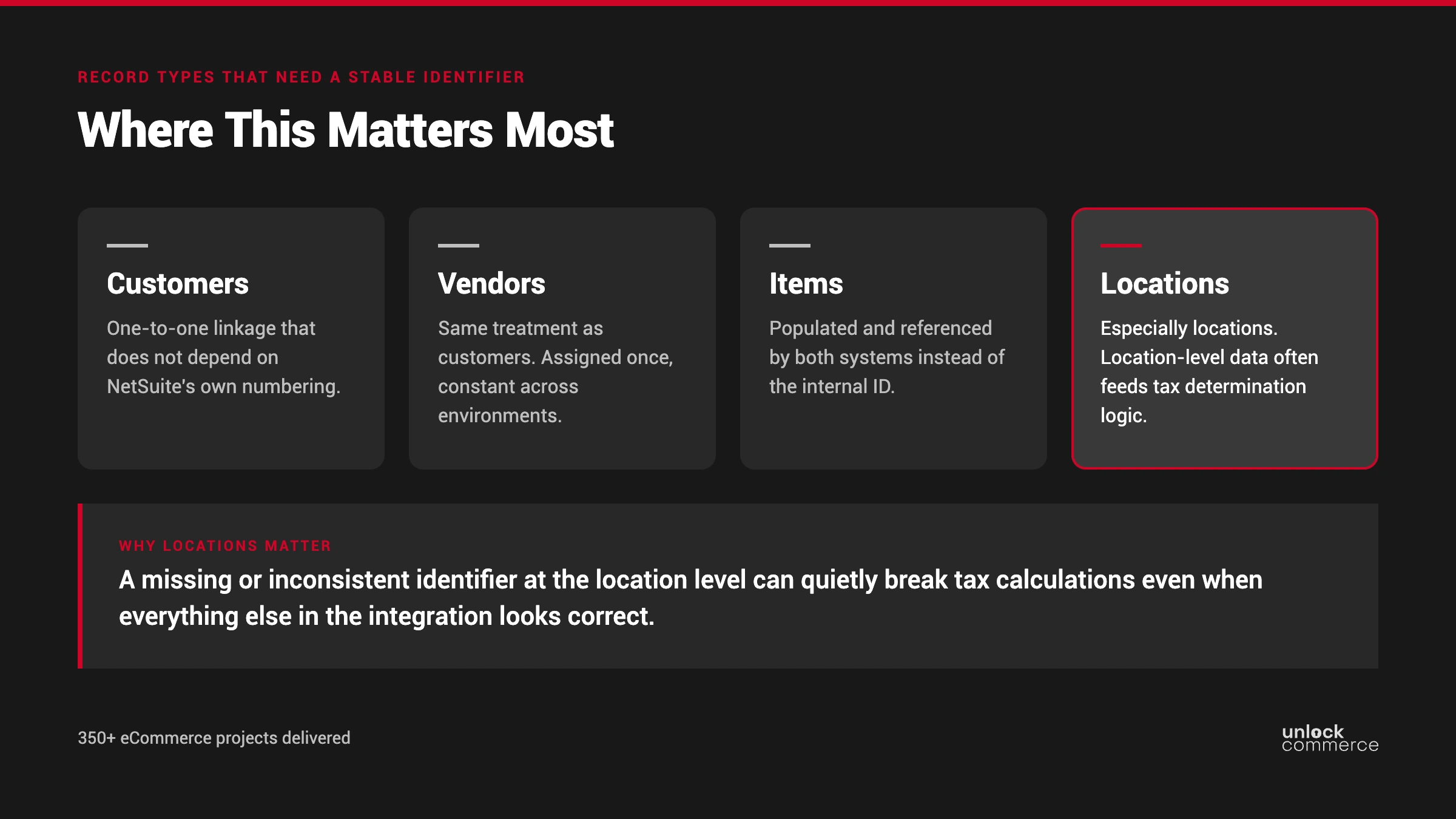
Where This Matters Most: Customers, Vendors, Items, and Locations

This isn’t limited to customer records. Vendors, items, and address-book locations all need the same treatment, especially locations. Location-level data often feeds tax determination logic, for example the origin of goods, so a missing or inconsistent identifier at the location level can quietly break tax calculations even when everything else in the integration looks correct.

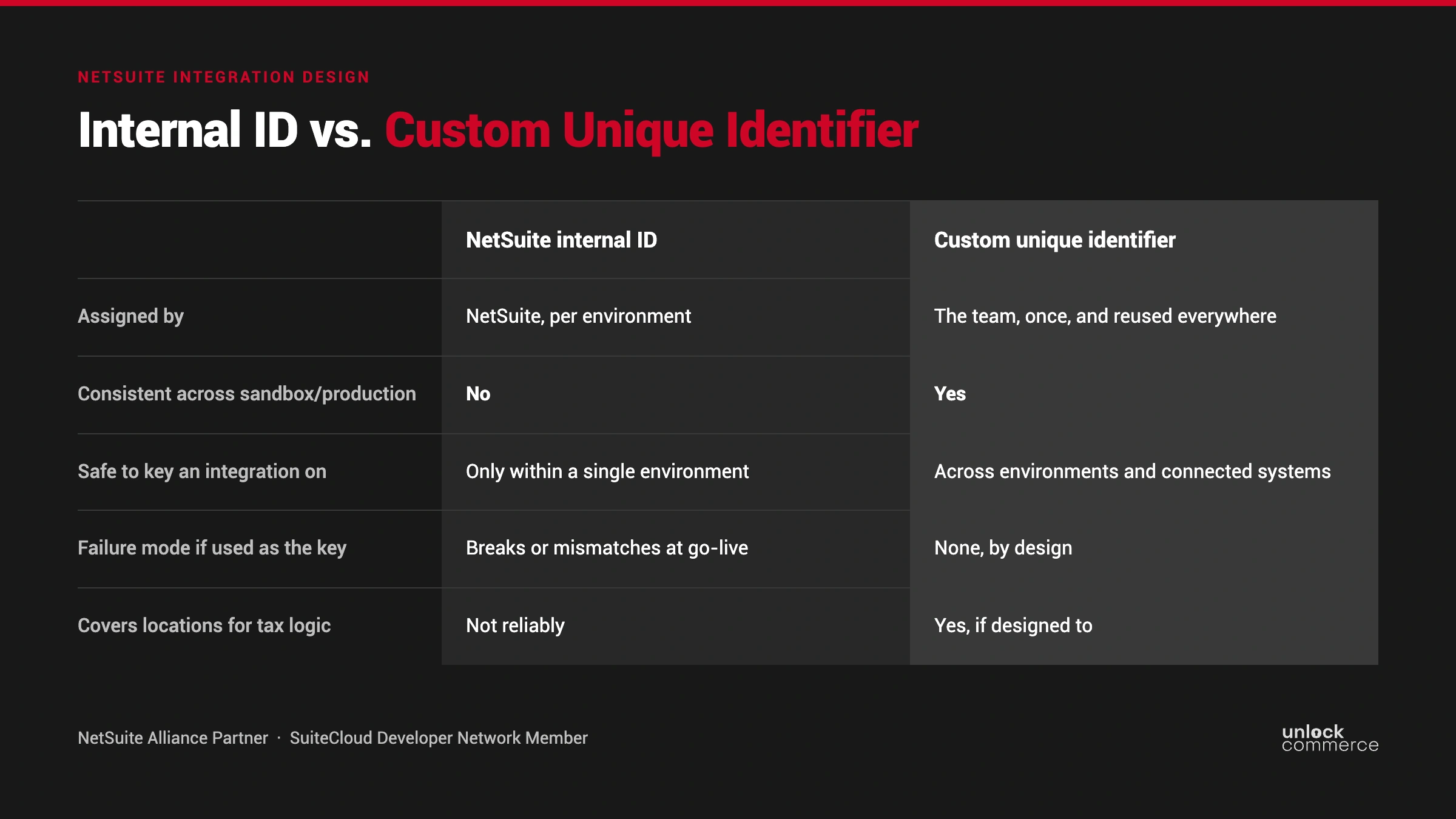
Internal ID vs. Custom Unique Identifier

 NetSuite internal IDCustom unique identifier
Assigned byNetSuite, per environmentThe team, once, and reused everywhere
Consistent across sandbox/productionNoYes
Safe to key an integration onOnly within a single environmentAcross environments and connected systems
Failure mode if used as the keyBreaks or mismatches at go-liveNone, by design
Covers locations for tax logicNot reliablyYes, if designed to

What to Do If You Discover This Late in a Project

If the missing identifier turns up as a go-live blocker, the project doesn’t have to stall completely. Mocking up placeholder IDs for testing while the real custom identifiers get finalized keeps development and QA moving, and it’s worth logging the gap explicitly (on a RAID log or equivalent) so it doesn’t quietly become someone’s problem to discover during cutover weekend. Longer term, this is exactly the kind of gap that NetSuite ERP Managed Services work is meant to catch before it becomes a blocker at all.

FAQ

Because it’s assigned per environment. The same record can have different internal IDs in sandbox and production, breaking any integration keyed on it.

No. Vendors, items, and address-book locations need the same stable identifier, and locations matter especially for tax determination logic.

It’s recoverable. Mock up placeholder IDs to keep testing moving, log the gap, and finalize the real custom identifiers before cutover.

Not particularly. It’s a custom field populated consistently across systems. The harder part is deciding to design for it upfront rather than discovering the gap under deadline pressure.

Yes. NetSuite supports external IDs and custom fields specifically for this kind of cross-system linkage; see Oracle’s own documentation on internal IDs, external IDs, and references.

Picture of Marcos Mansilla

Marcos Mansilla

Marcos Mansilla is Engineering Manager at UnlockCommerce, with a robust background in software development and team leadership. Marcos specializes in guiding engineering teams to deliver high-quality, scalable, and efficient solutions tailored to meet client needs. His expertise in SuiteCommerce and Shopify and deep understanding of NetSuite and eCommerce systems ensure seamless execution and innovative results for our clients. Marcos is dedicated to fostering collaboration and driving excellence across all technical initiatives.

Share this post

You may also like